
Cutting more and more my dependency on Google services, calendar and address book was next on my list. Until a few minutes ago, my address book and personal calendar was only hosted on Google. This was working OK except that every time someone invites me to an event using my personal maffulli.net email address, they’d get a confirmation from a gmail.com address. That confuses people: some start emailing gmail.com where I keep only junk emails and a couple of low importance mailing lists.
Enter Ionos Business email, powered by open-xchange. I’ve hosted email for maffulli.net on Ionos for many years and the Business email is included in the package I buy from them. They document how to setup Android but not how to handle Thunderbird. I tried using the native Thunderbird CalDAV but that failed miserably.
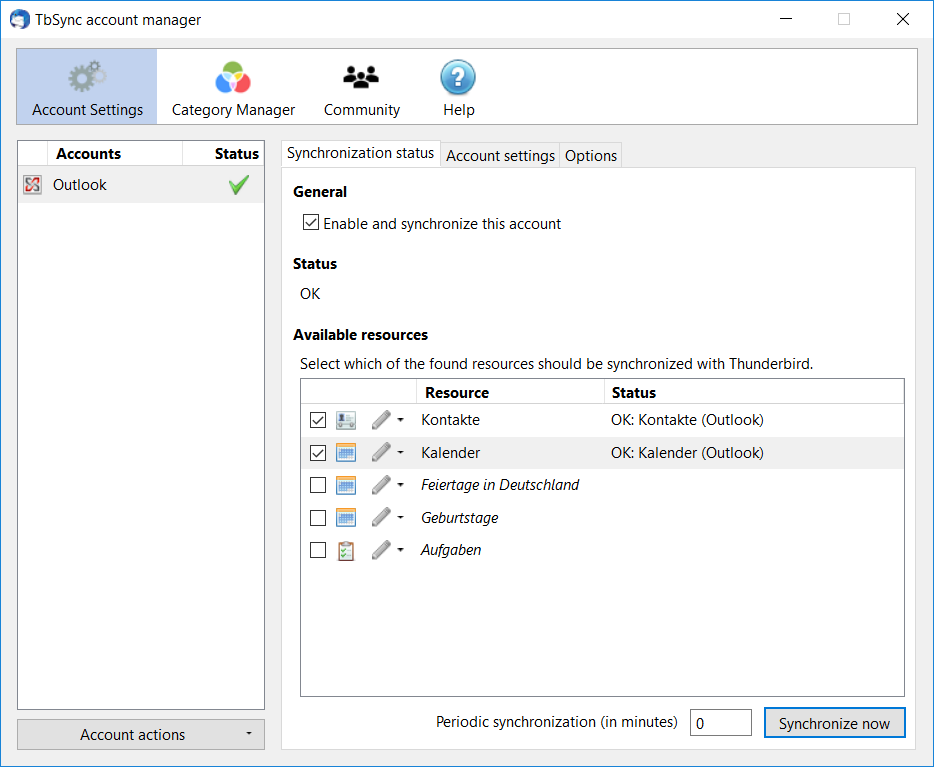
While doing research for something else, I casually stumbled upon the solution: TBSync. It was the easiest thing.
- Install TBSync
- Install the Exchange addon
- Add a new Exchange/Activesync account
- Enter you email address and password
- Pick what to sync
This Article was mentioned on brid-gy.appspot.com